


Setup the Tournament Planner Application
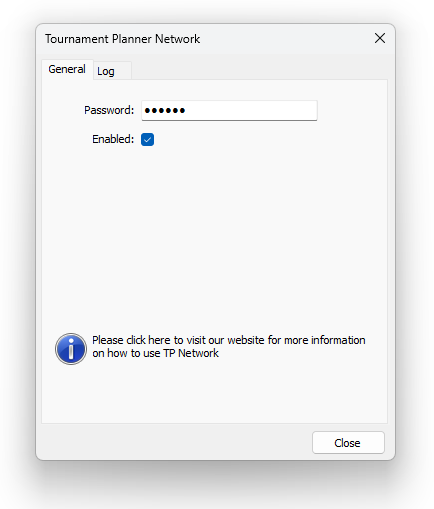
To use Scoreboard Connect together with Tournament Planner, Tournament Planner Network needs to be enabled in Tournament Planner.
Enable Tournament Planner Network
- Make sure the tournament is open in the Tournament Planner application
- In the menu bar, select Extra and then Tournament Planner Network
- Make sure that the Enabled-box is ticked
- Press Close
In earlier versions of Scoreboard Connect you also had to keep Tournament TV running; this is no longer needed. Scoreboard Connect does not require any connection to Tournament TV.